
Easy Mail Plus
2.3.1.1
Size: 4 MB
Downloads: 5504
Platform: Windows (All Versions)

There are times when you need to design envelopes, for making them more personalized or for making a good impression. No matter what the reasons are, a software that can handle this would be a very good idea. Such a program is Easy Mail Plus.
Weighing in at little under 6MB (which means you’ll be able to download the software in no time at all), this application will come in handy if you need to print mailing labels, envelopes, create memos and letters, manage a mailing list, and last but not least, fax/email documents.
There are four areas this software application focuses on: envelopes, labels, documents, and addresses. On the envelope front, you can put office barcodes on your envelopes, choose one of the predefined envelopes, use one of the logos already provided by the application, drag and drop content, and more.
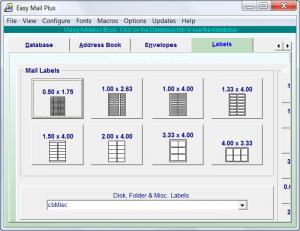
You can do pretty much the same with labels. You can drag and drop content on labels, you can put barcodes on them, you can select a predefined label, and print all sorts of labels (just one, a full sheet, for name tags, and so on).
When it comes down to documents, Easy Mail Plus comes with a built-in, full-featured word editor. Thanks to the word editor you can do basic stuff like write a letter, and up to more serious business like setting borders, creating tables, and inserting graphics. Once you have your letter, you can print it, email it, and even fax it.
Last but not least, we get to the fourth item the Easy Mail Plus software application focuses on: addresses. You can do multiple things with Easy Mail Plus in this area: you can sort, filter, find, delete, select, and tag addresses. You can also print predefined address reports.
For intensive paper correspondence, Easy Mail Plus provides all the tools you will ever need: envelope and label design tools, text editor for creating letters and address book to manage your mailing list.
When run for the first time, the program will show some sample projects that allow the user to get familiar with the software's features more quickly. Creating projects from scratch can be easily done using the program's intuitive and simple interface.
Pros
The program offers a balanced combination of label design tools, envelope design tools, text editor and address book in a simple and intuitive interface.

Cons
None that I could think of.

Easy Mail Plus
2.3.1.1
Download
Easy Mail Plus Awards

Easy Mail Plus Editor’s Review Rating
Easy Mail Plus has been reviewed by Jerome Johnston on 06 Mar 2012. Based on the user interface, features and complexity, Findmysoft has rated Easy Mail Plus 4 out of 5 stars, naming it Excellent







